
SSD vs HDD for an old laptop: will an upgrade help
SSD vs HDD for an old laptop? An SSD usually makes it start and open programs much faster, but it cannot fix a weak processor or low memory.
Amine Haddad4 min read
Verdict: if your old laptop has a spinning hard drive and feels slow to start and open things, an SSD is the best upgrade for the money. If it is slow because it runs out of memory or has a very weak processor, an SSD helps less than you hope.
The decision rule
Ask two questions.
- Is the laptop still in good shape otherwise? Good screen, working keyboard, battery that lasts long enough for you.
- Does it have a hard drive (HDD) now?
Two yeses, and an SSD is worth a look. A no to the first, and you are putting money into a laptop that will fail elsewhere.
What an SSD can fix
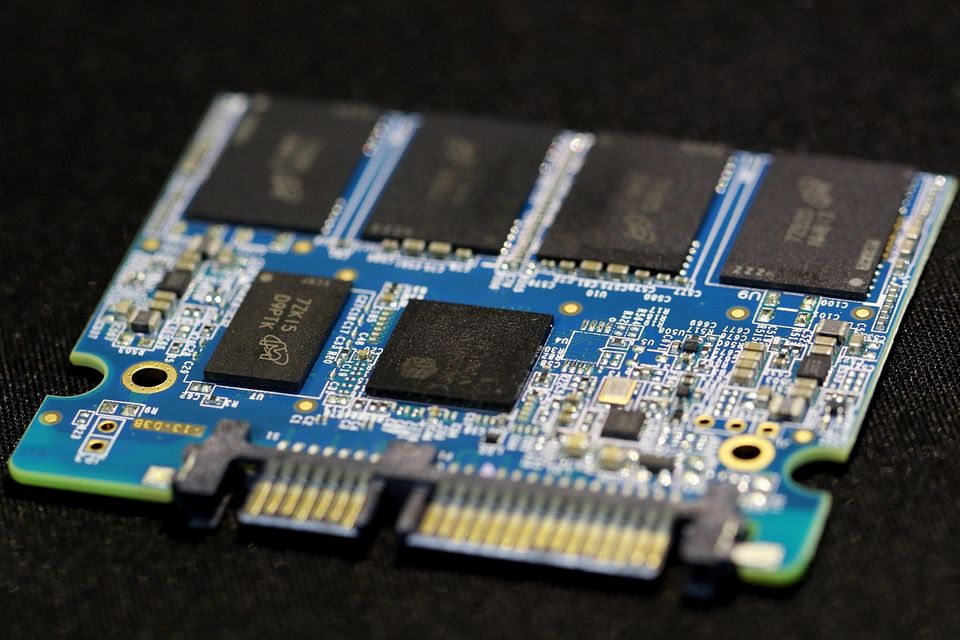
An HDD has spinning parts. An SSD has none. That is why an SSD is typically much quicker at starting up, opening programs and loading files. Owners often report that an old laptop feels "like new" after the swap.
It also uses no moving parts, so it handles knocks better, and it is silent.
What an SSD cannot fix
- A slow processor. Video editing, big spreadsheets and games will still be slow.
- Too little memory (RAM). If the laptop has 4 GB or less and you keep many tabs open, it will still struggle. More memory may help as much as an SSD.
- A dead battery or a cracked screen.
- An operating system that is too old to get updates. That is a safety problem, not a speed one.
Rule: an SSD fixes waiting. It does not fix power.
How to know if your laptop can take one
- Find the exact model name, usually on the bottom of the laptop.
- Search the model name plus "storage upgrade" or read the maker's support page.
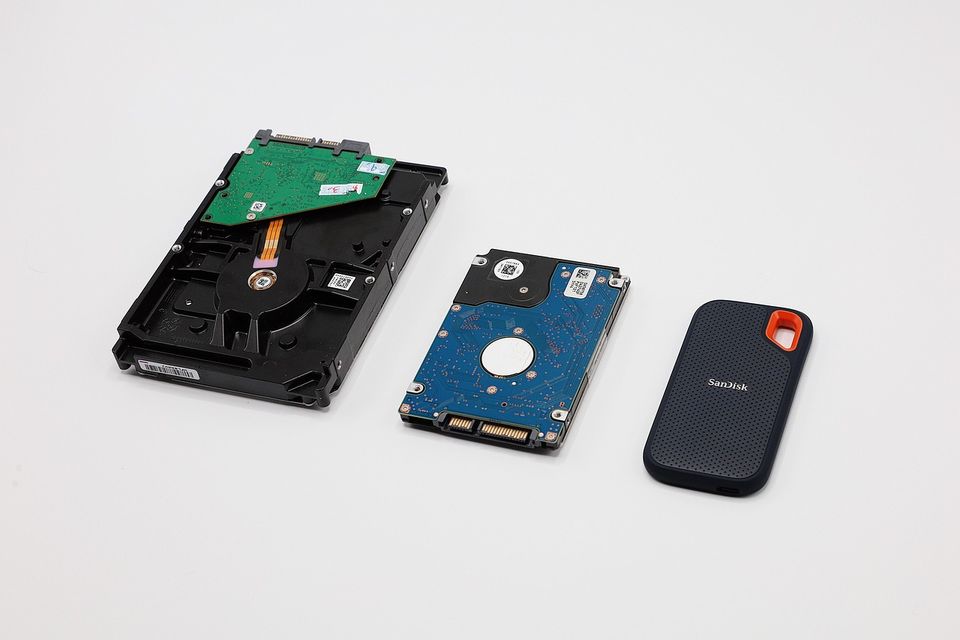
- Look for the drive size. Most older laptops use a 2.5 inch drive, and SSDs come in that size too.
- Check the connector. Many older laptops use SATA. Newer ones may use a small stick type called M.2. The drive must match.
- Check whether the back panel opens with a few screws. Some thin laptops have glued or soldered parts that make a swap hard or impossible.
If you cannot answer these, ask a repair shop. Many will tell you in a minute.
Back up first
Do this before you touch anything. Copy photos, documents and anything you cannot replace to an external drive or an online account. Then check that you can open the copies.
You have two ways to move over. You can make a clone, which copies everything onto the new drive, or you can install the system fresh and put your files back. A fresh install is cleaner. A clone is faster. Either way, keep the old drive untouched until the new one works.
Cost versus a new laptop
Here is the logic, with no prices. An SSD is typically a small fraction of the cost of a new laptop (a $ against a $$$). If the swap works, you may get a few more years of use.
A new laptop makes more sense when:
- The processor is very old and cannot run current software.
- The battery or screen also needs replacing.
- The laptop is too thin to open.
- The repair costs close to half of a new one.
Our comparison of laptop vs tablet for study can help if the next step is a different kind of device altogether.
Where the verdict flips
- Laptop has an SSD already: do not buy another. Look at memory instead.
- Laptop is more than about ten years old and slow all around: save the money for a new one.
- You need big storage cheaply, for example for a photo archive: an HDD still offers more space for the price. Keep it as an external drive.
Common mistakes
- Buying the wrong connector.
- Skipping the backup.
- Forgetting the screwdriver set or the static care, such as touching metal first to discharge yourself.
- Expecting a gaming laptop's speed from a basic one.
Quick questions
Will an SSD make my old laptop faster?
Usually yes for start up and opening programs. It does not make the processor faster.
Is it worth putting an SSD in a 10 year old laptop?
Sometimes. If it is otherwise in good shape and still gets updates, it often is. If not, spend toward a newer one.
Can I put an SSD in any laptop?
No. You need a matching connector and a laptop that opens. Check the model first.
Do I need to back up before swapping the drive?
Yes. Always. Copy your files first and check they open.
More to read
Keep reading
Phone case vs screen protector: which one first
Phone case vs screen protector: if you can only buy one, buy the case. It guards corners and the back, and it helps the screen survive falls.
Amine Haddad2 min read
Wired vs wireless earbuds: which should you buy
Wired vs wireless earbuds compared on delay, battery, loss, commuting, calls and cost. Verdict: wireless for daily use, wired for cheap, steady sound.
Amine Haddad4 min read
Laptop vs tablet for study
A tablet is better for reading and notes. A laptop is better for essays, files and anything that needs a real keyboard. Here is how to rule on your course.
Amine Haddad4 min read
Smartwatch vs fitness band: which one do you need
Smartwatch vs fitness band? Pick a band for long battery life and a low price, and a smartwatch if you want apps, replies and a bigger screen.
Amine Haddad4 min read

E-reader vs paper books for travel: which to pack
E-reader vs paper books for travel comes down to trip length. Pack the e-reader for long trips and flights, and a paperback for the beach or a short break.
Amine Haddad4 min read
Laptop vs desktop for home use: which should you buy
Laptop vs desktop for home use: a desktop gives more power per dollar and is easier to upgrade, while a laptop wins on space and moving around.
Amine Haddad3 min read